


Types of Photocopiers: A Guide to Features, Uses and Options
Selecting the right photocopier machine is far more than just adding another piece of equipment to your office setup; it is a critical investment decision that directly impacts operational budgets and daily office productivity. Different work environments demand specific types of photocopiers based on printing volume, speed requirements, and technical needs.
Choosing the ideal photocopier machine requires looking beyond the initial purchase price. You must evaluate toner yield, device duty cycles, print speeds, ongoing maintenance costs, and spare parts availability. Making an informed choice when buying a small photocopier or a heavy-duty unit ensures long-term operational efficiency and optimal return on investment.
At East Automation, we present this comprehensive guide covering all major types of photocopier—including monochrome laser, color inkjet, small photocopier for home setups, and commercial production systems—to help you identify the most cost-effective solution for your workplace.
Types of Photocopiers by Printing Technology
The underlying print technology determines device speed, per-page cost, and output quality. When evaluating a photocopier machine, the two primary print technologies include:
1. Laser Copiers
Laser technology utilizes a laser beam to project an electrostatic image onto a photosensitive drum. Dry powder toner is then transferred to paper and fused using heat and pressure. Laser types of photocopiers are engineered for medium-to-high volume environments such as corporate offices, educational institutions, and commercial copy centers.
- Advantages:
- High Speed: Designed to produce large print runs rapidly using advanced laser printer technology.
- Cost-Efficient: Delivers low per-page print costs, especially for high-volume workflows.
- Sharp Text Quality: Produces crisp, professional document text using smudge-resistant dry toner.
- Disadvantages:
- Higher initial purchase price compared to entry-level liquid ink models.
- Entry-level laser types of photocopier may not suit heavy-duty commercial production runs.
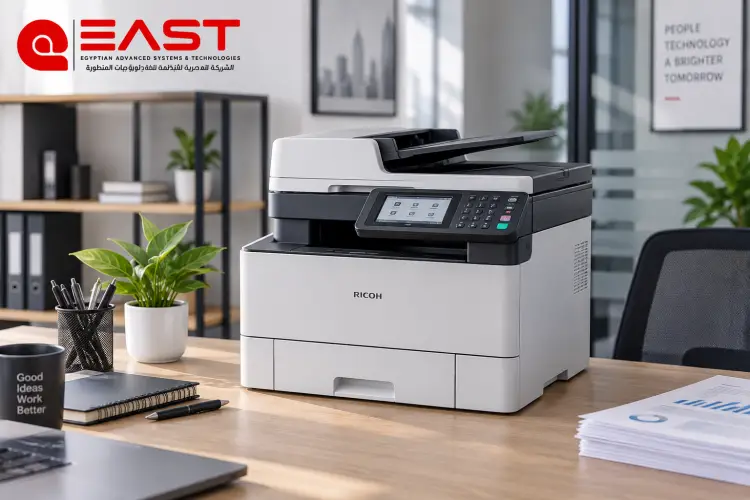
Choosing the photocopiers and printers can improve productivity while reducing printing and maintenance costs.
2. Inkjet Copiers
Inkjet technology propels microscopic droplets of liquid ink directly onto paper. It is commonly specified for home offices, small businesses with low print volumes, and creative environments requiring high-resolution color reproduction.
- Advantages:
- Superior Color Quality: Ideal for printing high-resolution photos, graphics, and detailed marketing materials.
- Lower Upfront Cost: Economical initial purchase price for low-volume users looking for a small photocopier for home.
- Disadvantages:
- Slower Print Speeds: Significantly slower than laser printer technology during large print runs.
- Higher Operational Cost: Frequent ink cartridge replacements and potential printhead clogging during long idle periods can increase per-page costs.
Selecting the right types of photocopier depends on monthly print volume, speed requirements, output quality, and ongoing maintenance budgets rather than purchase price alone.
Types of Photocopiers by Workload & Usage Volume
Equipment requirements vary according to daily usage volume, paper size support, and functional workflows. Based on workload demands, the market for any photocopier machine is divided into three main categories:
Desktop & Personal Copiers
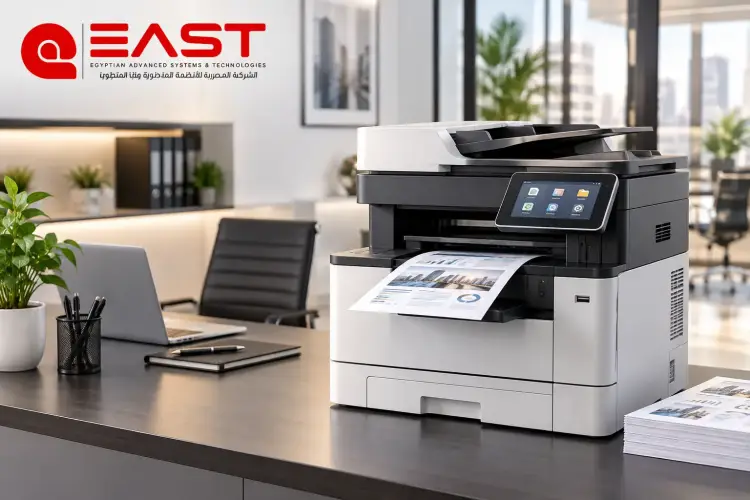
Compact, space-saving units designed to sit directly on a desk. These devices typically support up to A4 paper sizes, delivering speeds between 15 and 22 pages per minute (PPM).
- Ideal Application: Excellent choice when looking for a small photocopier or a small photocopier for home offices, medical clinics, or small workspaces printing a few hundred pages per month.
Office Workgroup Copiers
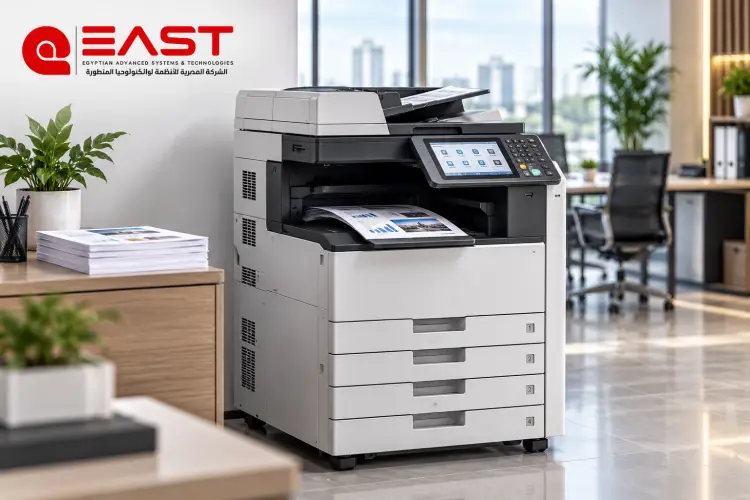
The most widely deployed category across corporate environments. These types of photocopiers support A3 and A4 paper formats, delivering speeds between 30 and 50 PPM. They feature multiple paper trays, Automatic Document Feeders (ADF), and network connectivity for multi-user access.
- Ideal Application: Medium to large corporations, financial departments, schools, and organizations requiring a reliable photocopier machine for daily document production.
Production Copiers & Press Systems
Heavy-duty systems built to handle continuous, high-volume commercial production. Speeds range from 65 PPM to over 130 PPM. They support modular finishing accessories such as inline stapling, hole punching, folding, and booklet binding.
- Ideal Application: Commercial print shops, digital print centers, publishing houses, and large enterprises producing books, invoices, and bulk documents daily.
Investments in higher-tier types of photocopiers reduce downtime, accelerate throughput, and lower long-term per-page costs for high-volume operations.
Before purchasing a new machine, it is important to understand the hp compact printer to choose the right option for your business needs.
Monochrome vs. Color Photocopiers
Deciding between monochrome and color capability significantly impacts equipment purchase costs, toner consumption, and ongoing maintenance for any photocopier machine.
Monochrome (Black & White) Copiers
Monochrome types of photocopiers offer fast output, high reliability, and low per-page costs. They are ideal for text-heavy daily documents such as contracts, invoices, letters, and administrative reports. Law firms, accounting agencies, schools, and libraries rely heavily on monochrome systems.
Color Copiers
Color types of photocopiers deliver vibrant, high-definition output suitable for presentations, brochures, and marketing collateral. While capable of printing standard monochrome documents, they utilize a four-color process (CMYK), making initial purchase and toner replacement costs higher. They are ideal for marketing agencies, architectural firms, and design studios.
Comprehensive Comparison Matrix
To help you compare different categories, the table below outlines key differences between desktop units, office workgroup systems, and high-volume production press setups:
|
Comparison Metric |
A4 Desktop Copiers |
Medium A3 Office Copiers |
High-Volume Production Press |
|
Supported Paper Sizes |
A4, A5, B5 |
A3, A4, A5, SRA3 |
A3, A4, SRA3, B3 & Custom Sizes |
|
Print Speed (PPM) |
15 – 22 PPM |
30 – 50 PPM |
65 – 130+ PPM |
|
Monthly Duty Cycle |
Up to 3,000 Pages |
10,000 – 50,000 Pages |
100,000 – 500,000+ Pages |
|
Paper Tray Capacity |
150 – 250 Sheets |
1,000 – 3,000 Sheets |
4,000 – 10,000+ Sheets |
|
Per-Page Print Cost |
Moderate |
Very Low |
Lowest |
|
Initial Capital Investment |
Low |
Moderate to High |
High Investment |
|
Available Accessories |
Basic Copy/Print Functions |
ADF, Fax, Network Card |
Inline Staple, Punch, Folder, Binder |
|
Target Audience |
Home Use, Small Clinics & Small Photocopier Users |
Corporate Workgroups, Schools |
Commercial Print Shops & Large Hubs |
Leading Brands & Technical Strengths
Leading global manufacturers engineer unique feature sets across various types of photocopiers. Key brand characteristics include:
- Ricoh: Renowned for durability, widespread market availability, and affordable replacement parts. A practical, heavy-duty photocopier machine solution for high-volume environments.
- Canon: Outstanding image clarity, precise color reproduction, and intuitive user interfaces. Excellent for creative agencies and architectural offices.
- Xerox: A pioneer in document technology offering robust data security features across its laser printer and copier lineups, making it a top choice for financial institutions and corporate enterprises.
Kyocera: Features long-life drum technology designed to minimize toner consumption and routine maintenance costs.
Comparing photocopy machine maintenance can help businesses select the most suitable machine based on performance, printing volume, and budget.
How to Select the Ideal Equipment for Your Business
To avoid overspending on unnecessary features or purchasing an underpowered unit, evaluate these key operational criteria before buying any photocopier machine:
- Calculate Monthly Volume: Estimate your total monthly page count. Under 3,000 pages per month suits A4 desktop units or a small photocopier, while 10,000 to 50,000 pages requires A3 workgroup systems.
- Identify Paper Requirements: Standard text documents require A4 support. Architectural blueprints, financial spreadsheets, or marketing materials demand A3 capability.
- Determine Color Requirements: Text-based workflows run most economically on monochrome types of photocopiers. Marketing assets and design files require color copiers.
- Evaluate Total Cost of Ownership (TCO): Factor in toner yield, drum lifespan, spare parts availability, and service contracts alongside the purchase price.
At East Automation, we recommend choosing equipment that matches your operational volume to achieve the lowest cost per page and minimize service interruptions. Explore current types of photocopiers and competitive pricing directly through East Automation.
Frequently Asked Questions (FAQ)
What is the difference between a standalone printer and a multifunction photocopier machine?
A dedicated laser printer or inkjet unit is engineered primarily for low-volume personal or small office use. A commercial photocopier machine handles heavy daily duty cycles, offers faster speeds, delivers significantly lower per-page costs, supports larger paper formats like A3, and includes high-speed scanning and document feeding accessories.
Which copier type is best for opening a commercial copy center or student service shop?
High-speed monochrome Ricoh laser copiers are the industry standard for bulk text printing due to their durability and low per-page costs. For color services, a digital color engine like the Canon imageRUNNER ADVANCE series delivers professional-grade output.
Are imported refurbished copiers a different technology tier?
No. "Imported refurbished" refers to the secondary market condition of the machine rather than a separate technology category. These are pre-owned commercial types of photocopiers imported from Europe or North America, inspected, and offered at lower price points than new units. Always inspect drum life, total meter count, and refurbishment quality before purchase.