


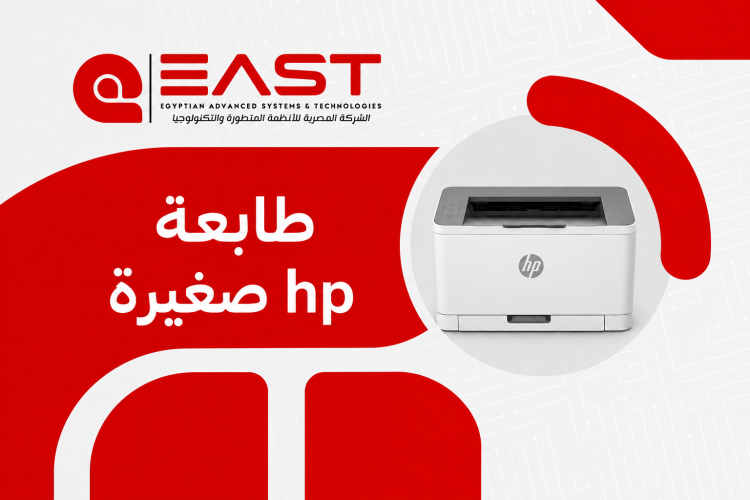
Best HP Compact Printer 2026: Complete Guide & Best Prices
Looking to save valuable desk space without compromising on fast, high-quality printing? As workspace optimization becomes increasingly essential, finding the right hp compact printer is a smart move for students, remote workers, and growing businesses alike.
A space-saving printing solution combines a small footprint with rapid print speeds, crisp text, and rich photo output. In this comprehensive guide, we review top small-footprint HP models for 2026, explain key technical differences, compare Inkjet versus Laser technology, and outline how EAST Automation provides fully authorized models, genuine supplies, and dedicated support.
Why Choose an HP Compact Printer for Your Workspace?
HP remains a globally recognized leader in printing technology thanks to its balance of sleek design, robust build quality, and user-friendly features. Whether you operate out of a cozy studio apartment or run a bustling boutique consultancy, choosing a streamlined desktop unit offers significant operational benefits.
Key advantages of choosing a compact HP model include:
- Reliable Performance & Durable Engineering: Built to handle daily workloads smoothly while minimizing common issues like paper jams when maintained correctly.
- Seamless Mobile Workflow via HP Smart: Print, scan, and manage documents directly from smartphones or cloud services using the HP Smart app on any hp compact printer wireless model.
- Widespread Consumable Availability: Original ink and toner cartridges are readily available through authorized distributors like EAST Automation, ensuring long-term operational efficiency.
- Low Power Consumption: Modern small-footprint hardware features energy-saving modes that automatically power down the device when idle, reducing electricity costs.
- Quiet Operational Profile: Engineered with noise-dampening mechanics, these devices run quietly in the background without interrupting meetings or study sessions.
If you're looking for more information about canon photocopier, check out our guide to learn about the key features and details.
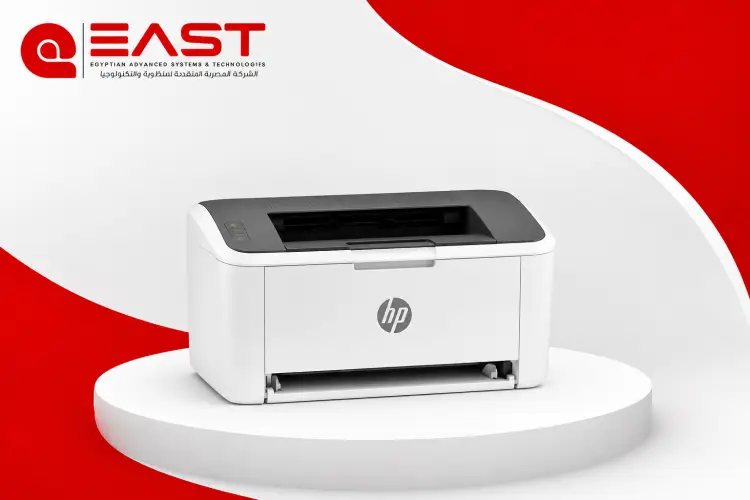
Top 3 Small HP Printers Recommended by EAST Automation
To help you find the right fit, the experts at EAST Automation have curated three top-rated models that balance powerful performance with a small footprint:
1. HP DeskJet 3700 Series
The HP DeskJet 3700 offers print, copy, and scan capabilities in an ultra-small body. It is ideal for printing homework, colorful charts, and everyday documents without crowding your desk.
- Best For: Students, home use, and daily personal tasks.
- Key Feature: Scroll-scan technology that handles various paper weights from standard letters to driver's licenses.
2. HP LaserJet Pro M15w
When crisp monochrome documents and fast print cycles are your top priority, this small-footprint model is a practical choice. It utilizes precision laser technology to deliver sharp text in a space-saving frame.
- Best For: Students, home office professionals, and high-volume text printing.
- Key Feature: Rapid warm-up times delivering the first page in under 8.4 seconds from standby mode.
3. HP OfficeJet 250 Mobile All-in-One
Engineered for ultimate portability, the HP OfficeJet 250 features a rechargeable battery and supports mobile printing, copying, and scanning on the go. Its slim design fits easily into a laptop bag or vehicle, making it an excellent HP compact Printer scanner for field operations.
- Best For: Mobile professionals, field teams, and frequent travelers.
- Key Feature: High-resolution 10-page automatic document feeder (ADF) powered by long-lasting battery performance.
Buying Tip: Always match your purchase to your expected monthly page volume, color requirements, and connectivity preferences. Every model above is available through EAST Automation with competitive pricing and certified local warranties.
Inkjet vs. Laser: Which Technology Suits Your HP Compact Printer?
Choosing between an Inkjet and a Laser hp compact printer depends on your primary document type and print frequency. Selecting the wrong print engine can lead to unnecessary spending on replacements or frustration over slow output times. The table below outlines key operational differences:
|
Feature |
Inkjet Printer Technology |
Laser Printer Technology |
|
Best Used For |
Photos, color graphics, and mixed media documents. |
Monochrome text, research papers, and invoices. |
|
Usage Volume |
Light-to-medium home or student printing. |
Medium-to-heavy office and business workloads. |
|
Running Cost |
Lower initial purchase price; cartridges replaced more frequently. |
Higher initial toner cost, but offers a significantly lower cost-per-page over time. |
|
Maintenance |
Liquid ink may dry out if left unused for extended periods. |
Dry toner powder never dries out, making it ideal for sporadic or heavy use. |
|
Print Speed |
Moderate page-per-minute (PPM) rate for text and photos. |
Rapid PPM rate for continuous text document runs. |
Summary: If your work relies heavily on high-volume black-and-white text documents, a laser model represents the most cost-effective solution over time. If you require color printing or photos, an inkjet best small HP printer for home use is the optimal choice.
For more information about multifunction laser printer, read our detailed guide to discover the most important tips and factors to consider.
Essential Setup & Maintenance Tips for Small Printing Devices
Proper setup and preventive maintenance ensure your printing hardware operates efficiently for years. Follow these recommended procedures from the technical support team at EAST Automation:
1. Optimal Placement and Ventilation
Position your desktop device on a flat, stable surface away from direct sunlight, air conditioning vents, and excessive dust. Ensure there is at least 5 to 10 centimeters of clearance around ventilation slots to prevent internal thermal buildup during long print jobs.
2. Paper Handling Practices
To prevent multi-page feeds or paper jams, store paper reams in a dry, cool place to prevent moisture absorption. Fan the paper stack gently before loading it into the input tray, and adjust the media alignment guides snugly against the paper edges without bending them.
3. Print Head & Toner Maintenance
For Liquid Ink Devices: Run a cleaning cycle via the HP Smart app once a month if output exhibits faint lines or streaks. Print at least 1–2 test pages weekly to keep print nozzles clear.
For Laser Units: When toner levels run low, gently remove the cartridge and rock it side-to-side three times to redistribute remaining powder evenly. This extends usable yield until a replacement unit is installed.
4. Network Configuration and Security
When connecting your wireless hardware to home or office Wi-Fi networks, update the default administrator password immediately. Enabling automatic firmware updates through your network dashboard ensures your device stays protected with the latest security patches.
Why Buy Your Next Printer from EAST Automation?
Selecting the right desktop unit involves more than comparing technical specifications and looking up an Hp compact printer price. Ongoing service, genuine warranty coverage, and reliable supply chains are equally vital. EAST Automation provides a complete end-to-end purchasing experience:
- 100% Genuine Products & Official Warranties: All HP hardware and accessories from EAST Automation come directly from authorized channels with complete local warranty coverage.
- Continuous Ink & Toner Supply: EAST Automation stocks genuine HP ink cartridges and toner units for every device to keep your workflows running without interruption.
- Fast Shipping & Secure Packaging: Orders are processed quickly and packaged carefully to ensure your devices arrive safely and ready for deployment.
- Dedicated Technical Support: The support team at EAST Automation offers post-purchase setup assistance, helping you select compatible supplies and configure network settings.
- Transparent Return & Exchange Policy: Shop with confidence thanks to clear return and exchange terms designed to make procurement hassle-free.
Learn more about ricoh printer egypt and discover the key features and uses you should know before choosing a laser printer.
Frequently Asked Questions (FAQ)
Q1: Can I print directly from an iPhone or Android device to a small HP printer?
Yes. Most wireless HP desktop models support direct mobile printing via Apple AirPrint, Mopria for Android, Wi-Fi Direct, and the HP Smart app without requiring complex software installation.
Q2: Do smaller desktop printers consume more ink than larger enterprise units?
No. The ink consumption rate per page is nearly identical across product lines. However, smaller printers use lower-yield cartridges that require replacement after fewer total pages compared to commercial enterprise units.
Q3: How do I identify the correct ink or toner cartridge for my HP device?
You can confirm compatible cartridge numbers by:
- Checking the label on your existing installed cartridge.
- Locating the reference sticker inside the printer access door.
- Viewing installed device details in the HP Smart application.
- Searching your printer model number directly on the EAST Automation store page.
Q4: How does the Hp compact printer price vary between wireless and wired models?
Base USB-only models generally offer the lowest entry price, whereas an hp compact printer wireless model carries a slight premium due to integrated Wi-Fi adapters, mobile cloud printing support, and multi-device sharing capabilities.
Q5: Can I use third-party or refilled ink cartridges in my HP device?
While non-genuine cartridges may seem cheaper initially, they often lead to inconsistent print quality, premature nozzle clogging, and potential warranty invalidation. Utilizing genuine supplies from EAST Automation guarantees optimal print head performance and exact page yields.
Get Your HP Compact Printer at EAST Automation
Investing in an hp compact printer is an effective way to optimize limited desk space while maintaining crisp document quality. Whether you need an HP compact Printer scanner for mobile business trips, an efficient laser unit for home office tasks, or the best small HP printer for home use, EAST Automation is your trusted partner for genuine HP hardware, competitive pricing, and reliable long-term support.