


Canon Photocopier: Features, Models & Buying Guide 2026
Imagine this: your team is preparing for a crucial client presentation, but minutes before the meeting, the office copier jams, leaving you with blurry, incomplete handouts. In today’s fast-paced business environment, a reliable copier is not just a piece of office hardware—it is the heartbeat of your daily operations. Choosing a high-performance Canon photocopier is not just an administrative purchase; it is a strategic investment in reducing downtime, boosting workplace productivity, and slashing operating costs over the long term.
In the Egyptian market, where businesses require rugged, highly dependable machinery capable of handling heavy workloads, Canon stands out as the gold standard. Renowned for their durability, consistent performance, and long lifespan, these machines deliver unmatched value. However, the true value of this investment is unlocked when you partner with an authorized, specialized provider like East Automation. As a leading provider of comprehensive printing solutions in Egypt, East Automation delivers end-to-end sales, maintenance, and technical support to ensure your business gets the right machine at the lowest possible operating cost.
How to Choose the Best Canon Photocopier for Your Business Size
Selecting the perfect copier is not simply about looking at the lowest price tag or picking the model with the most buttons. The right decision aligns directly with your daily workflow, saving you from frequent breakdowns and unnecessary maintenance expenses. To find the ideal match for your organization, you must evaluate three core criteria.
1. Monthly Print Volume (Duty Cycle)
The monthly duty cycle is the single most critical factor to consider. Every printing system is engineered to handle a specific maximum number of pages per month. Push a machine beyond its intended capacity, and you will face rapid wear on internal parts, frequent paper jams, and a drastically shortened lifespan.
To safeguard your investment, calculate your average monthly print volume. We highly recommend purchasing a Canon photocopier with a duty cycle that exceeds your current monthly volume by 30% to 50%. This safety margin ensures stable performance during peak business periods and accommodates your company's future growth without straining the hardware.
2. Print Speed (Measured in Pages Per Minute - PPM)
Print speed directly impacts your office's operational efficiency. Waiting in line at the copier wastes valuable employee time. Depending on your business model, you should target one of the following speed brackets:
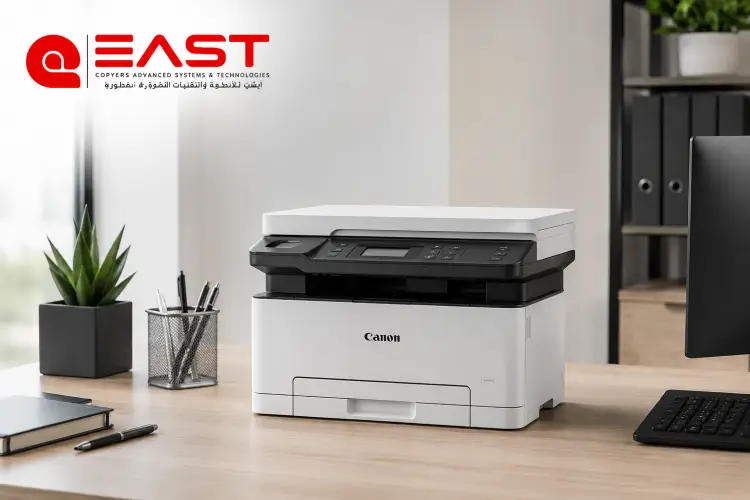
- 20 to 30 PPM: Perfect for startup offices, small businesses, and boutique agencies with light, daily documentation needs. A compact Canon office printer fits beautifully in this bracket.
- 35 to 55 PPM: The ideal sweet spot for medium-sized corporate offices and busy departments requiring rapid, multi-user document handling.
- 60 to 90+ PPM: Designed for high-volume environments like large schools, universities, legal firms, and professional copy centers that rely on non-stop, heavy-duty production.
Choosing the correct PPM ensures a seamless workflow, eliminating bottlenecks during urgent print jobs.
For more details, please refer to the guide : Canon printer price
3. Monochrome (Black & White) vs. Color Copiers
Your choice between a black-and-white machine and a color system will heavily dictate your long-term operational costs.
- Monochrome (Black & White) Copiers: These remain the most cost-effective solution for businesses that primarily print text-heavy documents such as legal contracts, administrative records, invoices, and shipping labels. They offer significantly lower toner and maintenance costs.
- Color Copiers (CMYK): Utilizing a four-toner system, a Canon printer Color model yields higher running costs per page but is indispensable if your business designs marketing materials, corporate brochures, client presentations, or any document where visual brand identity is paramount.
By balancing monthly volume, print speed, and color requirements, you can easily secure a Canon photocopier that meets your exact needs without paying for unnecessary premium features.
Top Canon Photocopier Recommendations by Business Type
To simplify your search, we have categorized the top-performing Canon models in the Egyptian market based on specific business environments and workloads.
1. Best for Small Offices and Startups
If your priority is space-saving design, multi-functional capabilities, and budget-friendliness for routine tasks like printing invoices and contracts, the Canon imageRUNNER 2425i is an outstanding choice.
- Key Features:
- Highly compact, space-saving design perfect for tight office setups.
- All-in-one functionality: Print, Copy, and Scan from a single device.
- Speeds of up to 25 PPM with standard automatic double-sided printing (duplex).
- Seamless network integration and mobile printing support via the Canon PRINT app and Apple AirPrint, making this Canon office printer highly versatile.
2. Best for Copy Centers, Libraries, and Heavy-Duty Use
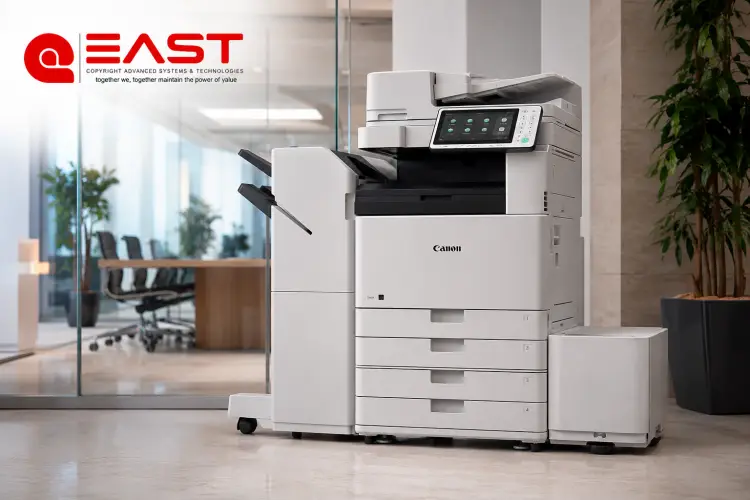
For demanding environments where the machine runs almost continuously, you need heavy-duty durability. The Canon imageRUNNER 4500 and 4900 series (such as the DX 4930i and 4545) are industry favorites.
- Key Features:
- High-speed outputs ranging from 30 to 45+ PPM.
- Robust build quality designed to withstand harsh, continuous workloads.
- Exceptionally low operating cost per page, thanks to high-yield toner cartridges.
- High availability of spare parts and skilled technicians across Egypt.
3. Best Color Copiers for Advertising Agencies and Design Firms
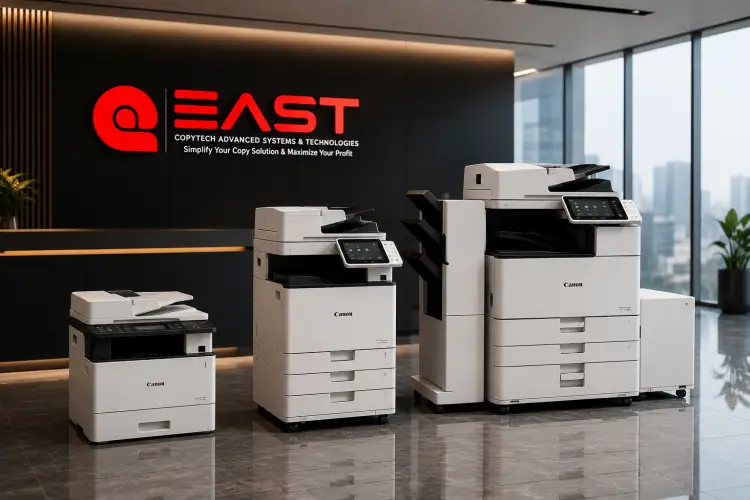
When color accuracy, crisp graphics, and heavy paper handling are non-negotiable for brochures and marketing mockups, the Canon imageRUNNER ADVANCE DX C5800 series (such as the DX C5840i) delivers professional-grade results.
- Key Features:
- Superb resolution up to $1200 \times 1200 \text{ dpi}$ for vibrant, ultra-sharp color output using advanced Canon printer Color technology.
- Support for heavy media weights of up to $300\text{ g/m}^2$, including glossy and coated paper (Couche).
- High-performance processor and expanded memory to handle large, complex graphic files without slowdowns.
For more details, please refer to the guide : multifunction laser printer
Brand New vs. Refurbished (Imported): Which Should You Buy?
When shopping for a Canon photocopier in the Egyptian market, you will face a critical decision: should you buy a brand-new model, or opt for a refurbished "imported" machine (known locally as Esterad El-Khareg) that offers high-end features at a fraction of the cost?
There is no one-size-fits-all answer. Your choice depends entirely on your capital budget, expected daily workload, and how critical zero-downtime operations are to your business.
|
Comparison Feature |
Brand New Machine |
Refurbished / Imported (Esterad) |
|
Purchase Price |
Higher initial investment |
Budget-friendly (saves 40% to 60%) |
|
Specifications & Features |
Standard for the price point |
High-tier features & higher PPM for the same budget |
|
Physical Condition |
100% pristine, zero previous page count |
Used abroad, fully tested, and reconditioned |
|
Warranty |
Full comprehensive warranty from authorized distributor |
Varies based on dealer; typically limited |
|
Maintenance |
Minimal maintenance required in early years |
Requires regular, scheduled maintenance checks |
If your organization has the budget and demands absolute peace of mind, a brand-new Canon photocopier is the ideal route. It ensures maximum uptime, low initial maintenance, and a full manufacturer warranty.
Conversely, if you are looking to maximize your purchasing power, a refurbished machine from a reputable supplier offers incredible value. By purchasing through a reliable dealer like East Automation, you receive a thoroughly inspected, certified refurbished unit backed by a genuine warranty and reliable post-sale support.
Canon Photocopy Machine Price in Egypt (2026 Estimates)
Because of fluctuating exchange rates, shipping costs, and varying import tariffs in Egypt, prices for office equipment change frequently. To help you plan your capital expenditures, we have compiled an estimated Canon Photocopy Machine Price index based on current 2026 market ranges.
|
Business Category & Workload |
Refurbished Price Range (EGP) |
Brand New Price Range (EGP) |
Recommended Models / Specs |
|
Small Offices & Startups (Light to Medium Use) |
12,000 – 25,000 |
15,000 – 35,000 |
Multifunction desktop lasers, e.g., Canon imageRUNNER 2425i |
|
Schools, Libraries & Copy Centers (Heavy Duty) |
25,000 – 65,000 |
Starts from 120,000+ |
Heavy-duty monochrome units (35–55 PPM), e.g., imageRUNNER 4500/4900 series |
|
Ad Agencies & Corporate Printing (Professional Color) |
35,000 – 150,000 |
Starts from 180,000+ |
High-end color copiers supporting heavy paper weights, e.g., imageRUNNER ADVANCE C5500/C5800 series |
Factors Influencing the Price of a Canon photocopier
Several variables will impact your final quote:
- Machine Condition: Brand new vs. imported refurbished.
- Speed & Volume Capabilities: Faster PPM and higher duty cycles command higher prices.
- Configurations: Added accessories like automatic document feeders (ADF), extra paper cassettes, finishers, or booklet makers.
- Warranty & Service Contracts: Comprehensive service level agreements (SLAs) can affect upfront costs but save money over time.
Note: The prices listed above are estimated guidelines reflecting the market in 2026. For an exact, up-to-the-minute quote tailored to your business needs—complete with warranty and maintenance packages—reach out directly to the sales team at East Automation.
For more details, please refer to the guide : photocopy machine maintenance
The Real Cost of Ownership: Toner, Parts, and Maintenance
Savvy business owners know that the purchase price is only the tip of the iceberg. The true cost of running a Canon photocopier is measured by the Cost Per Page (CPP). This includes not just the toner powder, but also several critical consumable parts that must be replaced periodically to maintain crisp print quality:
- The Drum Unit: This component transfers the toner image onto the paper using electrostatic charges. It has a set lifespan measured in thousands of pages and must be replaced when worn to avoid faded prints.
- The Developer: This agent ensures that the toner powder is evenly distributed across the drum. A worn developer leads to uneven gray patches or faint text.
- Rollers & Fuser Unit: Feed rollers prevent double-feeding and paper jams, while the fuser unit bonds the toner to the paper using heat and pressure.
Fortunately, because Canon is exceptionally popular across Egypt, finding affordable spare parts and compatible toner is very easy. When you source your machine and maintenance contracts through East Automation, you gain access to certified technicians, genuine OEM spare parts, and high-quality toners that prevent premature wear, keeping your cost-per-page as low as possible.
Frequently Asked Questions (FAQs)
What is the average lifespan of a Canon photocopier?
With proper maintenance and regular servicing, a high-quality Canon photocopier can easily last between 5 to 10 years, or produce between 500,000 to over 2,000,000 impressions (depending on the heavy-duty rating of the specific model).
Can I print from my smartphone or connect the copier to the office network?
Yes! Almost all modern Canon copiers are equipped with built-in Ethernet (LAN) or Wi-Fi connectivity. You can easily print directly from your mobile devices, tablets, or laptops using the Canon PRINT Business app, Apple AirPrint, or Mopria Print Service.
How do I check the condition of a refurbished (imported) machine before buying?
To make sure you are getting a reliable unit, always perform these four quick checks:
- Verify the Page Counter: Check the system's internal meter to see how many total prints it has made in its lifetime. Lower numbers indicate a longer remaining lifespan.
- Run a Test Print: Print a solid color sheet and a page of fine text to check for any smudging, lines, or uneven fading.
- Inspect the Interior: Open the side panels to ensure there are no signs of massive toner leaks or physical wear on the gears.
- Listen to the Motor: Turn the machine on and make a few copies. The internal mechanisms should run smoothly without any clicking, grinding, or squeaking noises.