


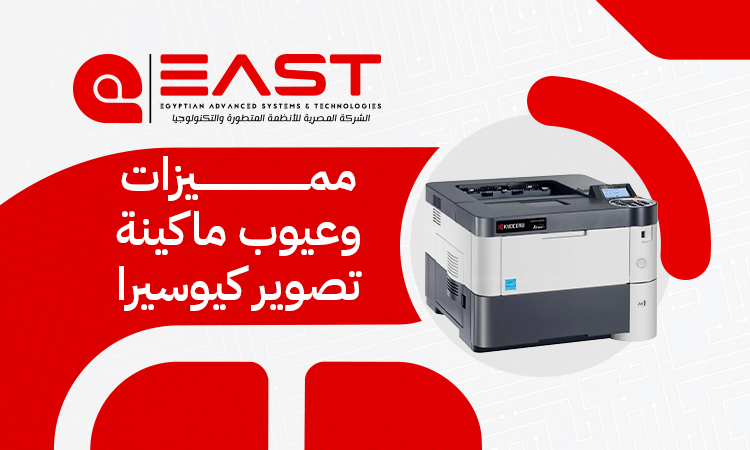
Kyocera Multifunction Printer: Office Printing Made Easy
When searching for a copier that seamlessly bridges the gap between rugged durability and exceptional cost-efficiency, a kyocera multifunction printer consistently emerges as a top-tier recommendation among industry professionals. Renowned for its heavy-duty build and sustainable design philosophy, this hardware is engineered to maximize lifespan while drastically reducing electronic waste and operational overhead.
But does this high-performance powerhouse fit every business model? In this definitive guide by East Automation, we will dive deep into the real-world pros, cons, and essential insights to help you decide if a kyocera multifunction printer is the right choice for your workplace.
Executive Summary: Is a Kyocera Printer Worth the Investment?
Yes. Investing in a kyocera multifunction printer is an outstanding decision if your primary objectives are long-term reliability and achieving the lowest possible cost-per-page, especially in high-volume print environments.
While it represents a highly practical choice for offices aiming to minimize maintenance downtime, it does require professional technical support for advanced network configurations. To see how various options fit your budget, you can consult an authorized dealer for a comprehensive Kyocera Color Printer price List or check specific Kyocera Multifunction Printer price points tailored to your region.
Here is a quick-glance comparison table mapping out the core strengths and limitations:
|
Category |
Pros (Why Buy Kyocera?) |
Cons (What to Keep in Mind?) |
|
Machine Lifespan |
Longest-in-class lifespan due to ceramic drum technology handling hundreds of thousands of prints. |
Relatively bulky footprint compared to some sleek competitors. |
|
Operational Cost |
Ultra-low cost-per-page combined with highly economical toner consumption. |
High upfront cost for genuine OEM replacement parts. |
|
Durability & Performance |
Built as a heavy-duty workhorse for continuous, non-stop office operations. |
Not ideal for low-volume home use or simple casual printing. |
|
Maintenance |
Markedly fewer service interventions needed thanks to long-life internal components. |
Requires a specialized, certified technician for optimal repairs. |
|
Print Quality |
Razor-sharp text output, perfect for professional business documents and reports. |
Not the absolute best in class for high-end photographic or graphic design prints. |
|
Ease of Use |
Rock-solid, stable performance once the initial network setup is complete. |
The control interface and settings menu are more complex than HP or Canon. |
|
Market Availability |
Strongly supported and dominant within corporate and enterprise sectors. |
Specialized technical support may be scarcer in remote or rural regions. |
Core Advantages of a Kyocera Multifunction Printer
Kyocera operates on a unique engineering philosophy that sets it apart from traditional manufacturers. Instead of relying on disposable components, a kyocera multifunction printer focuses on extreme durability and waste reduction, making it a sustainable and financially savvy choice for modern enterprises.
1. Exceptional Lifespan with Patented Ceramic Drum Technology
Unlike competitors that use standard plastic or organic photoconductor (OPC) drums, Kyocera integrates advanced ceramic technology into its print drums. This diamond-hard material offers unparalleled resistance to wear and heat.
- The Result: The drum inside a kyocera multifunction printer can easily process between 300,000 to 500,000 prints before requiring a replacement. This drastically outlasts conventional drums by several multiples, ensuring your machine stays online longer.
2. Industry-Leading Low Long-Term Operating Costs
Kyocera utilizes a smart "Toner-Only" design philosophy. In most standard printers, when the toner runs out, you are forced to replace a combined cartridge that includes the drum and developer. With Kyocera, the drum is a permanent fixture of the machine.
- The Result: Your recurring operating expenses are strictly limited to buying the toner powder itself. This significantly drops the overall cost-per-page (CPP), yielding massive cumulative savings over the lifecycle of the machine.
3. Built for Rigorous, Heavy-Duty Workloads
Kyocera machines are true office workhorses. Their robust mechanical chassis is purpose-built to handle relentless, high-volume workloads without suffering from performance degradation.
- The Result: This makes a kyocera multifunction printer the premier choice for document-heavy environments such as large corporate offices, educational institutions, and legal firms, drastically reducing common headaches like paper jams or sudden system freezes.
Common Drawbacks and Challenges of Kyocera Machines
Despite the technical brilliance of these devices, certain operational nuances must be analyzed before making a final purchase to ensure the machine aligns perfectly with your staff's capabilities and location.
Extreme Sensitivity to Non-Original Toner
Because of the highly calibrated ceramic drum, a kyocera multifunction printer is incredibly strict about the quality of toner powder used.
- The Risk: Deploying counterfeit or low-grade third-party toners can cause severe abrasive residue buildup, directly scratching or permanently damaging the ceramic drum. To maintain your warranty and ensure stable performance, using genuine OEM or high-quality certified toners is non-negotiable.
Complex User Interface and Learning Curve
While these machines offer elite administrative controls, advanced scanning routing, and robust network security, their menus are not as intuitive out-of-the-box as consumer-oriented brands like HP or Canon.
- The Risk: General staff or non-technical employees may face a brief learning curve. Initial training is usually required to master custom shortcut setups, network scanning pathways, and advanced printing preferences.
Technical Support and Parts Availability in Remote Areas
Because Kyocera focuses heavily on B2B corporate clients, their official service networks are highly concentrated around major commercial hubs and metropolitan areas.
- The Risk: If your business operates in a remote or less-populated region, securing fast delivery on specialized OEM parts can take longer compared to retail-centric brands. Furthermore, because these machines do not tolerate generic makeshift fixes, relying on a trusted partner like East Automation becomes essential
Choosing Between the Two Main Kyocera Printer Models Suffixes
Kyocera categorizes its lineup into two distinct families to meet varying business scales. Reviewing a comprehensive breakdown of Kyocera printer models will help you match the right machine to your monthly print volumes.
1. Kyocera TASKalfa Series (For Large Enterprises & Print Shops)
This is Kyocera’s flagship heavy-duty commercial lineup.
- Key Features: Built predominantly for A3 paper sizes, these robust floor-standing units offer blazing-fast print speeds, massive paper capacities, and professional finishing options (such as automatic stapling, hole-punching, and booklet creation).
- Best Suited For: Large organizations or commercial printing hubs printing over 15,000 to 20,000+ pages per month.
2. Kyocera ECOSYS Series (For Small to Medium Offices)
The ECOSYS lineup packs Kyocera’s long-life technology into a smaller, more accessible footprint.
- Key Features: Typically optimized for A4 desktop printing, these compact devices focus heavily on energy efficiency, space saving, and exceptionally low upfront acquisition costs.
- Best Suited For: Standard office administrative tasks (invoices, daily reports) with print volumes averaging between 2,000 and 10,000 pages per month.
Proactive Steps to Prevent Frequent Machine Failures
To ensure your kyocera multifunction printer runs flawlessly for years, regular preventive care must be exercised. Kyocera’s high-precision engineering rewards proper maintenance with unmatched uptime.
- Stick Strictly to Certified Toner: Using unverified toner can compromise print clarity and scratch the ceramic drum. Protect your investment by opting for genuine supplies.
- Monitor the Waste Toner Box: Never ignore the "Waste Toner Full" alert. Forcing the machine to print with a full waste container can cause internal mechanical spills and trigger severe electronic errors.
- Store and Load Paper Correctly: Paper stored in humid conditions absorbs moisture, which causes frequent feeding jams. Keep your paper reams in a dry, climate-controlled space and fan the pages gently before loading them into the cassettes.
- Schedule Routine Technical Cleaning: Over time, paper dust builds up on feed rollers and sensors. Periodically having a technician clean these pathways prevents feeding slips before they occur.
- Install a Stable Power Stabilizer / UPS: Printers contain highly sensitive logic boards. Utilizing a voltage regulator shields the internal electronics from unexpected power surges or drops.
Frequently Asked Questions (FAQs)
Is Kyocera toner easily available in the market?
Yes, Kyocera toner is widely accessible across regional commercial markets. You can easily procure both genuine OEM cartridges and premium-grade compatible alternatives from dedicated corporate suppliers and technology providers. However, because these machines are business-centric, you will rarely find their specific toners in small, casual neighborhood stationery shops.
What is the primary difference between Kyocera and Ricoh?
The choice between the two boils down to your core office priorities:
- Kyocera: Focuses intensely on maximizing component life and minimizing long-term operational costs. It is the definitive champion for ultra-economical, high-volume printing, though it features a more technical user interface.
- Ricoh: Prioritizes user experience and seamless accessibility. Ricoh machines feature highly intuitive, tablet-like touchscreen interfaces and straightforward maintenance workflows, though their overall cost-per-page can lean slightly higher than Kyocera.
Conclusion
Investing in a premium kyocera multifunction printer means choosing long-term sustainability, exceptional durability, and unparalleled cost control.
To explore the best Kyocera printer models, obtain a tailored Kyocera Multifunction Printer price, or request an official Kyocera Color Printer price List for your business setup, contact the certified experts at East Automation today. Let us assist you in deploying the perfect printing technology optimized specifically for your workflow.